macOS Elevated Update
When an Admin user installs Firefox, it will be installed with privileges that allow the Firefox updater to write to the installation files as that user. When we use elevation to update, we change the permissions on the install directory such that any Admin user can also do this. This means that the macOS elevated update flow is:
Never needed when updating as the installing user.
Needed once to update from Admin users other than the installing user.
Needed every time for non-Admin users.
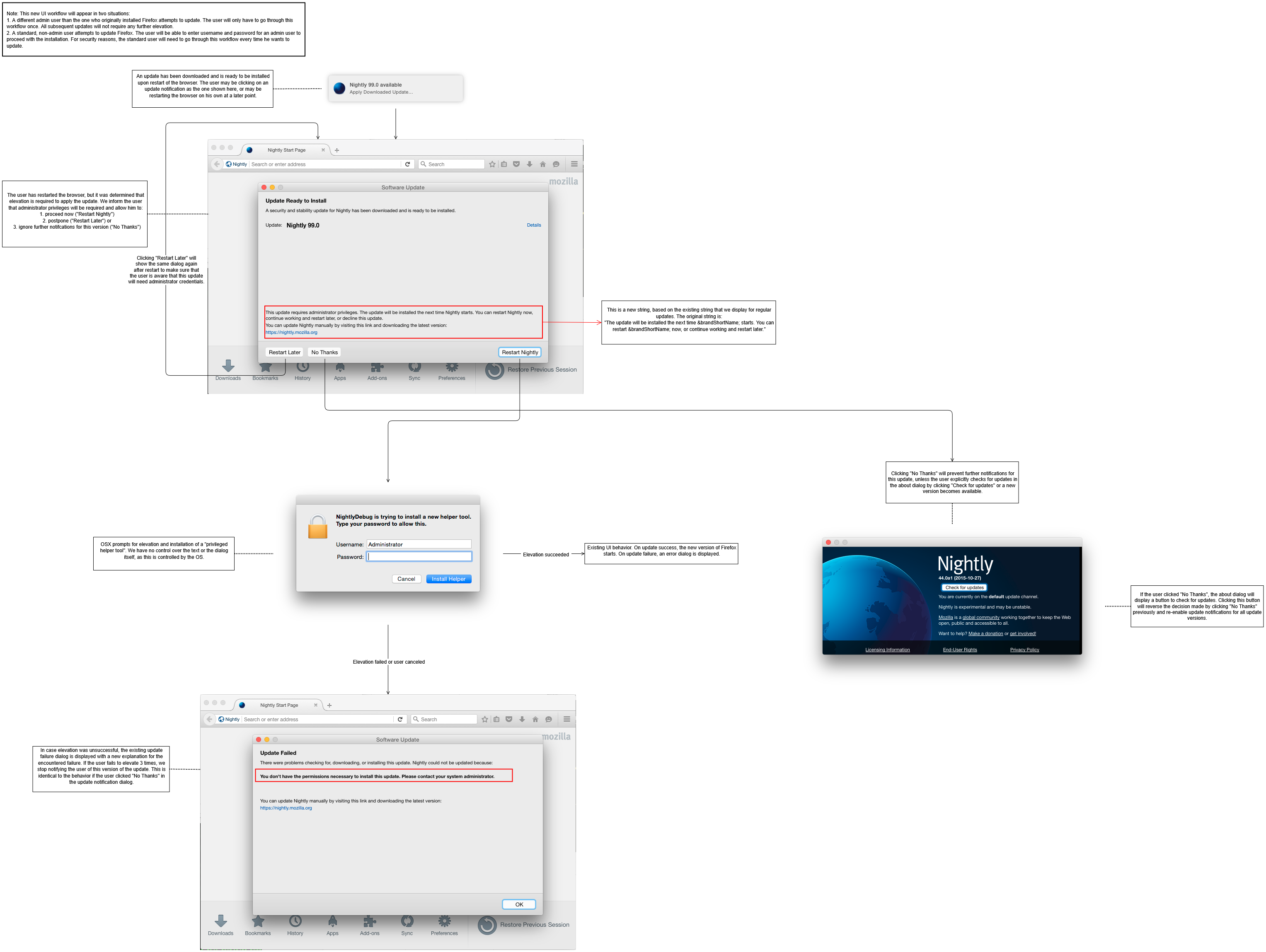
UI Flowchart
This flow is what the user experiences in order to initiate an elevated update:
Algorithm Flowchart

Testing
Firefox needs to be built with a few extra options to enable the elevated updater to be tested as it needs to be signed correctly.
By default, the elevated updater will only work if it is signed by the Mozilla release signing certificate, which most people don’t have access to. Follow the guide in Signing Your Build Like Production to request and configure your Developer signing certificate.
Once you have a developer certificate add ac_add_options --enable-mac-elevated-updates-with-generic-certs and ac_add_options --enable-unverified-updates to mozconfig which will allow the elevated updater to run with the developer certificates instead of the Mozilla production one, and will allow it to install unsigned updates from a local update server, as explained in Setting Up An Update Server.
The OS will need to ask for permission to install the elevated updater when you try to update, and authorization step may fail if you don’t run the updater from the UI/terminal - something like tmux over SSH may cause it to fail.