Class field layout
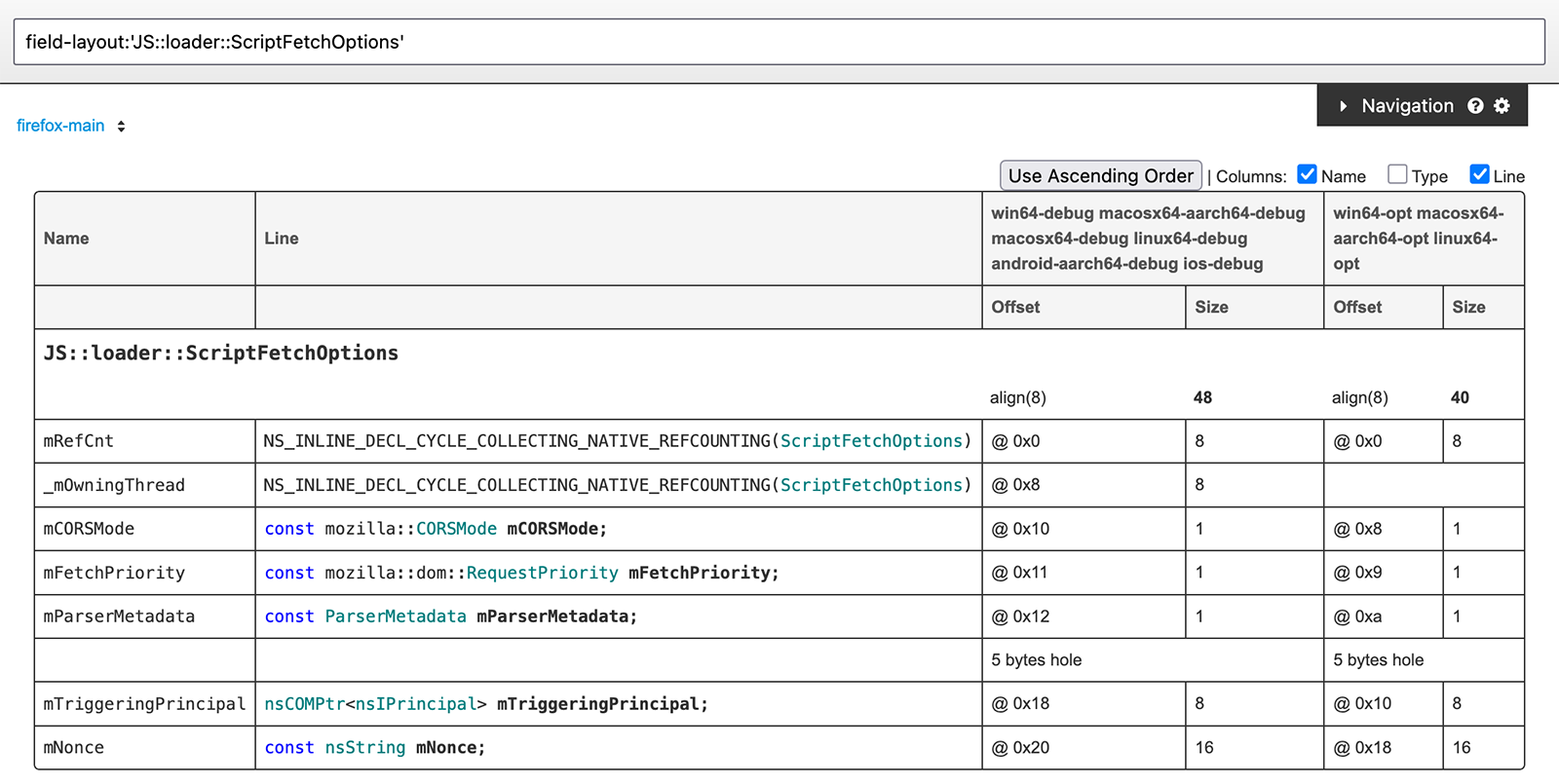
The class field layout table shows the layout of a class or struct, including inherited members, and holes.
The table reflects multiple build configurations and the platforms.
- If the layout differs between them, for example with the following reasons, a row is created for each group.
Debug-only fields
Pointer size difference between platforms
Enabling Class field layout: To use class field layout features, visit the settings page and change the “Default feature gate” from “Release” to “Alpha”, or use the “Semantic Info Queries gate” setting.
Context Menu
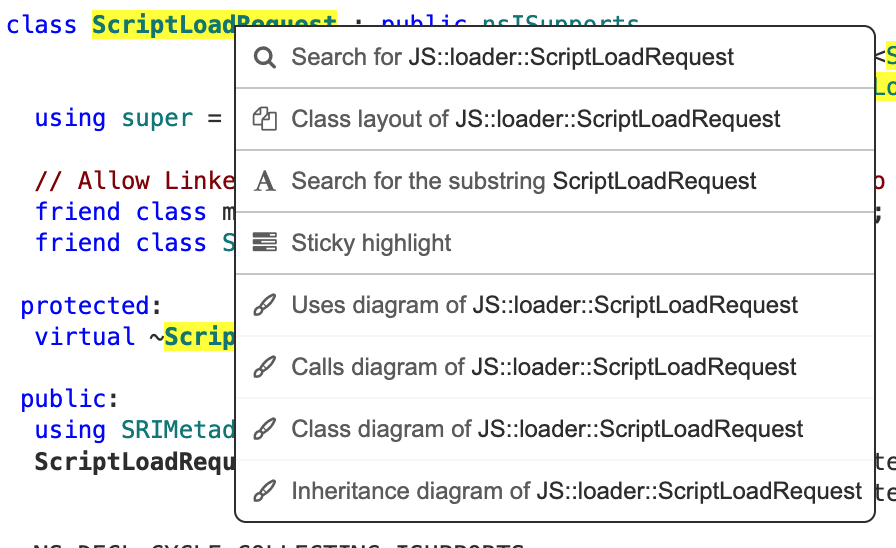
- Class layout of …
Open the class field layout table of given class.
Controls
- Use Ascending Order/Use Descending Order
Order the classes in the ascending/descending order of the offset.
By default, descending order is used, and thus the specified class is shown in the top, and the base classes are shown below it.
Choosing the ascending order makes the all fields ordered by the field offset.
- Columns
Select the columns to show.
Corresponds to the
show-cols:LISTparameter.- Name
The name of the field.
- Type
The actual type of the field.
- Line
The actual line that declares the field. This can be a macro invocation.
Queries
Show the class field layout table of given a class or struct.
field-layout:'nsTString'
https://searchfox.org/mozilla-central/query/default?q=field-layout%3A’nsTString’