Diagramming
The diagramming feature provides generating diagrams for calls/uses relations, classes and their inheritances.
The diagramming feature can be accessed from two ways.
Enabling Diagramming: To use diagramming features, visit the settings page and change the “Default feature gate” from “Release” to “Alpha”, or use the “Diagramming feature gate” setting.
Language Support: Diagramming currently works for C++ and languages with SCIP indexing support (Java/Kotlin/Python), but not JavaScript/TypeScript.
Accessibility Note: The diagrams currently do not generate a usable accessibility tree and are considered alpha quality.
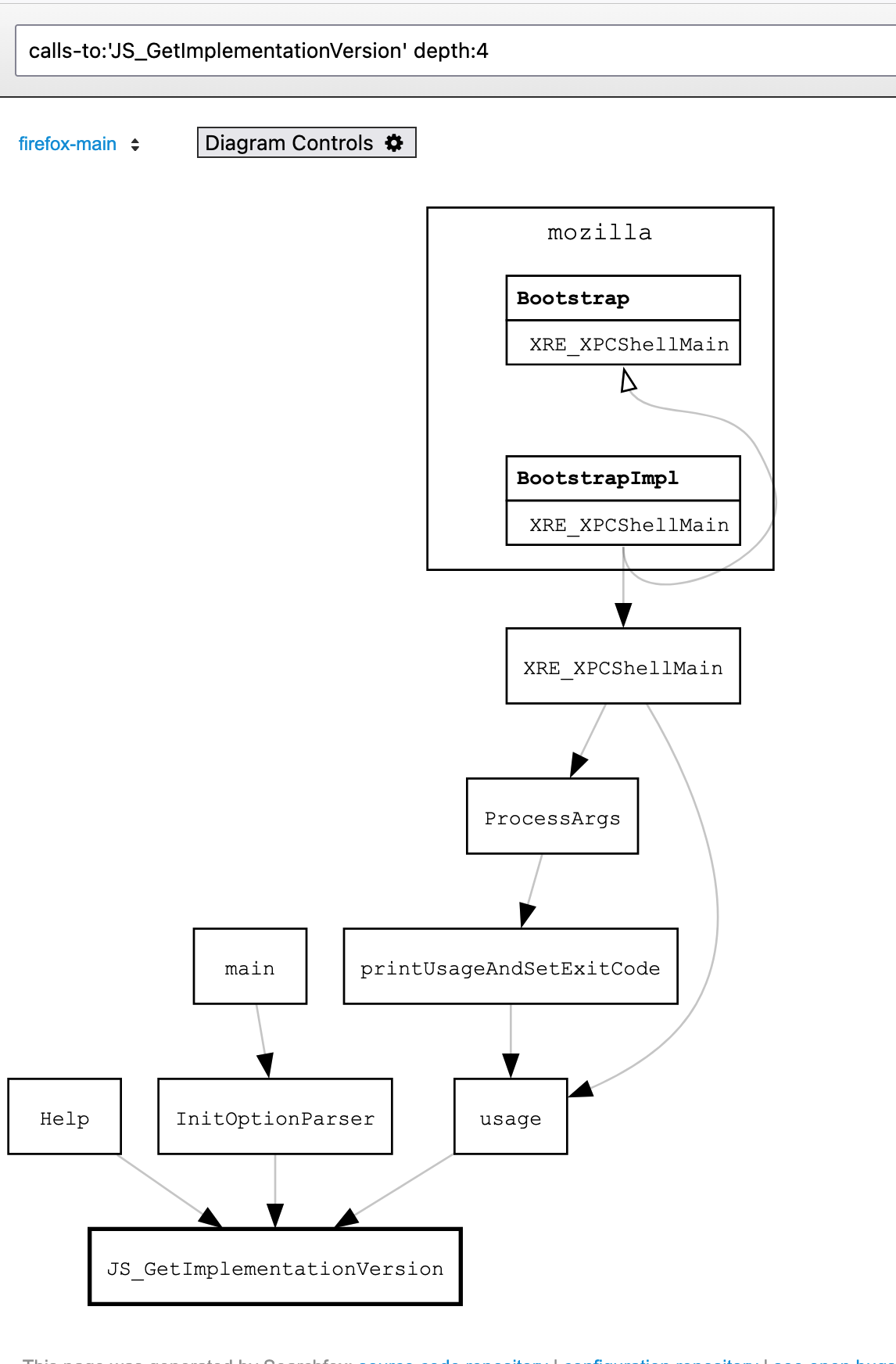
Context Menu
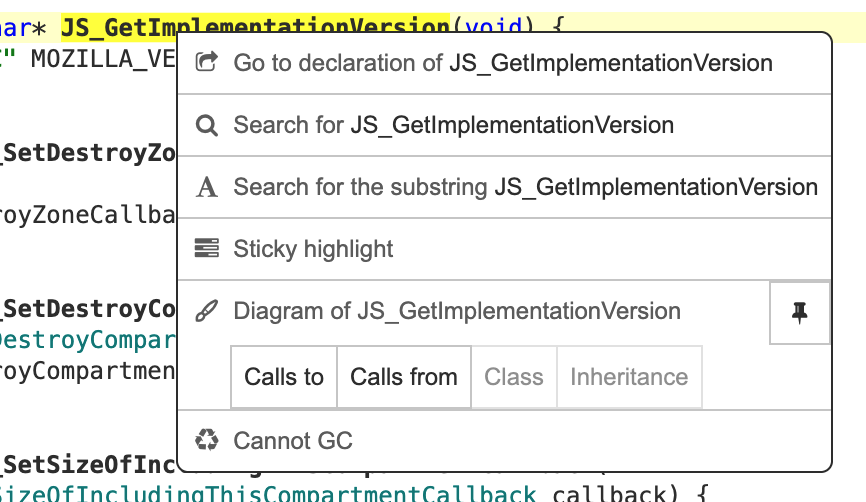
- Calls to
Open a diagram that shows how given symbol is called or used.
- Calls from
Open a diagram that shows how given symbol uses other functions
- Class
Open a diagram that shows given class and its fields, the hierarchy, etc.
- Inheritance
Open a diagram that shows the class hierarchy of given class.
- Pin icon
Pin the symbol, to create a diagram between two symbols.
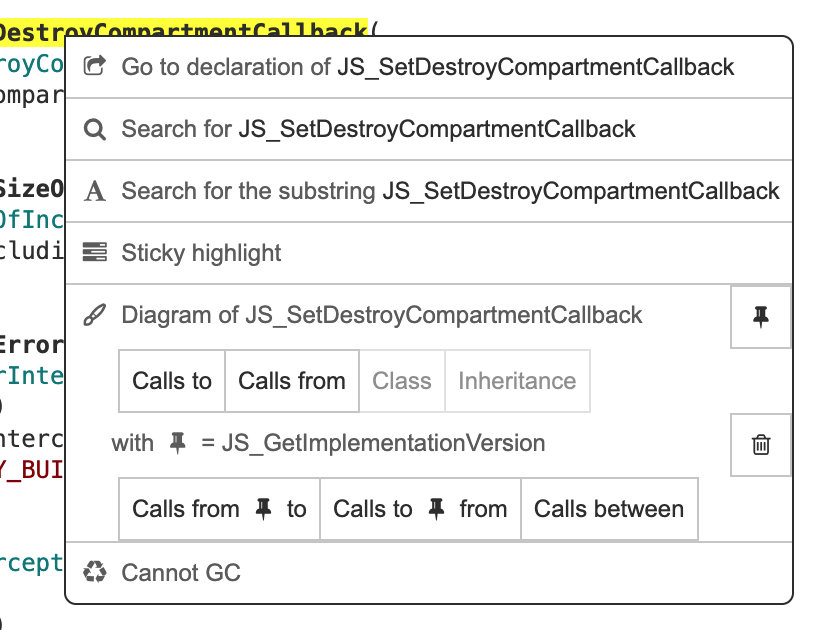
When a symbol is pinned, another row of buttons are shown.
- Calls from Pin to
Open a diagram that shows the paths from the pinned symbol to the clicked symbol
- Calls to Pin from
Open a diagram that shows the paths from the clicked symbol to the pinned symbol
- Calls between
Open a diagram that shows the paths between the clicked symbol and the pinned symbol, for both directions
- Trash icon
Remove the pinned symbol
Context Menu for nodes
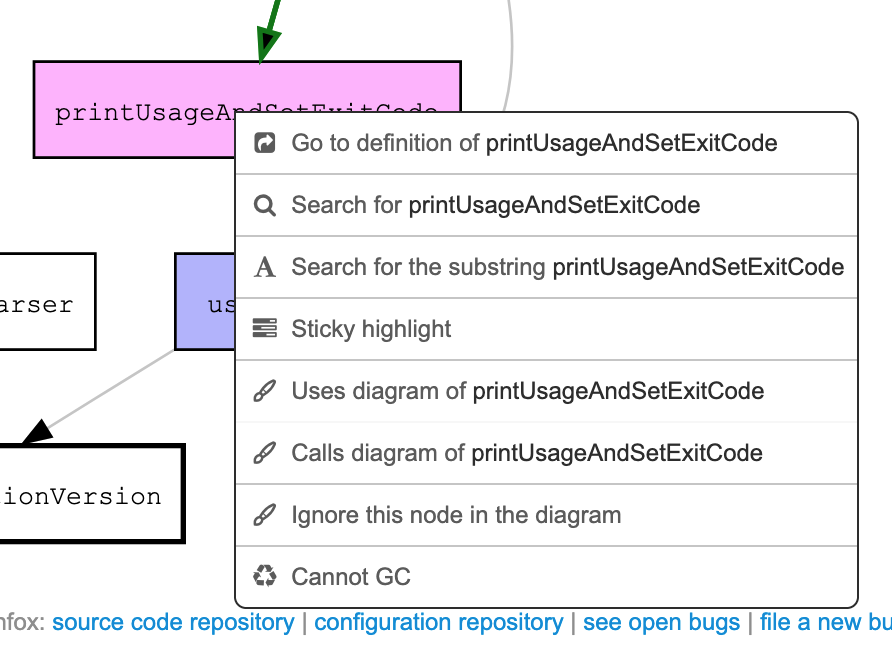
- Ignore this node in the diagram
Re-generate the diagram, ignoring the specified node.
Context Menu for edges
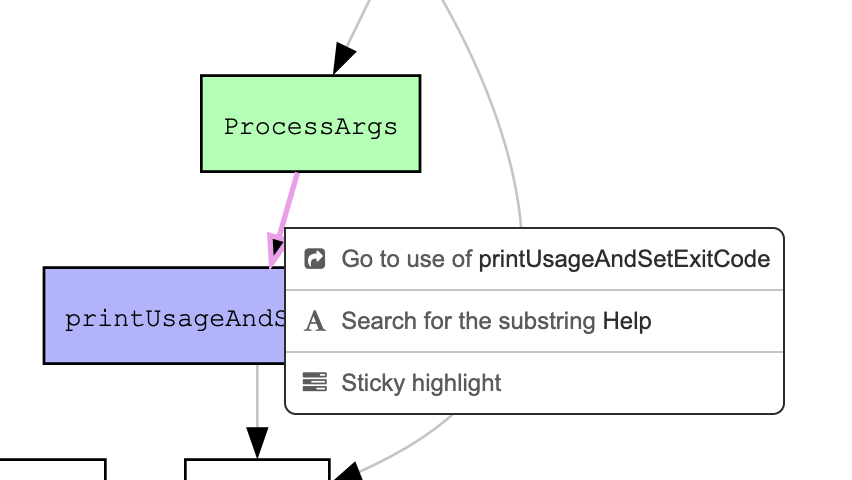
- Go to use of …
Open the use site of the function shown as the edge.
Controls
In the diagramming page, the breadcrumbs contains the “Diagram Controls” button.
The control panel allows customizing the query.
The number of nodes are limited by default. If the limit is hit, warning messages are shown, with buttons to lift the limit if possible.
The Legend section shows the meaning of the badges (e.g. “💪”), which can be added to the nodes for annotation purposes.
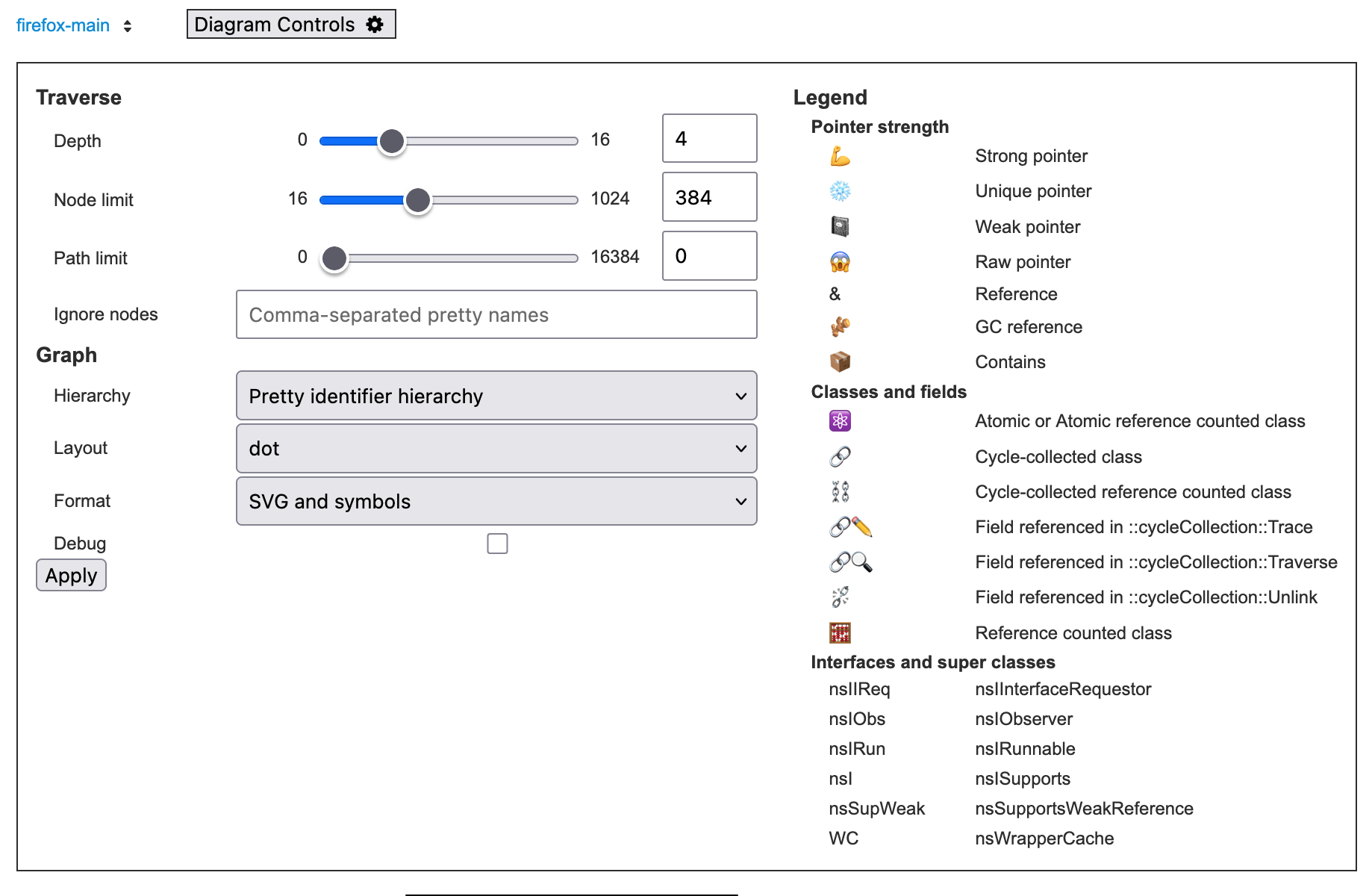
- Depth
Limit graph traversal to N levels of depth (1-based).
Corresponds to the
depth:Nparameter.- Node limit
Maximum nodes in resulting graph.
Corresponds to the
node-limit:Nparameter.- Path limit
Nodes with more than N in-edges will be excluded (default: 96)
For “Calls between”, this is maximum nodes for path-finding algorithm
Corresponds to either the
path-limit:Nor thepaths-between-node-limit:Nparameter.- Ignore nodes
A comma-separated list of pretty symbols for the nodes to exclude from the diagram.
This can be added by the “Ignore this node in the diagram” context menu item.
Corresponds to the
ignore-nodes:LISTparameter.- Hierarchy
Controls the hierarchy and the styling of the diagram.
- Simple no hierarchy
Disable hierarchy, use old flat layout (
hier:flat)- No hierarchy
Disable hierarchy but applies other styling, such as badges (
hier:flatbadges)- Pretty identifier hierarchy
Default hierarchy based on pretty symbol name (
hier:pretty)- Subsystem and class structures:
Group by bugzilla component mapping (
hier:subsystem)- Full file paths
Fine-grained file-level hierarchy (
hier:file)- Directories
Group by directories (
hier:dir)
- Layout
Select the layout algorithm.
- dot
Default orderly layout (recommended) (
graph-layout:dot)- neato
Force-directed layout for less orderly appearance (
graph-layout:neato)- fdp
Force-directed with variable edge lengths (
graph-layout:fdp)
- Format
Select the output format of the graph. Options other than “SVG and symbols” are mostly for debugging purpose.
- JSON
Prints the raw input JSON data for the graph (
graph-format:json)- SVG
Shows only the generated SVG (
graph-format:svg)- dot with layout
Prints the raw “dot” input data, with the layout information (
graph-format:dot)- dot without layout
Prints the raw “dot” input data, without the layout information (
graph-format:raw-dot- SVG and symbols
Show the generated SVG, annotated with the symbol information
graph-format:mozsearch
- Debug
When checked, show the debug log.
Icons
To reduce the server load, the diagramming feature has several limitation, and when it hits the limit, icons are shown for each node.
Clicking the icon shows a menu to lift the limit if possible. See also the controls section above.
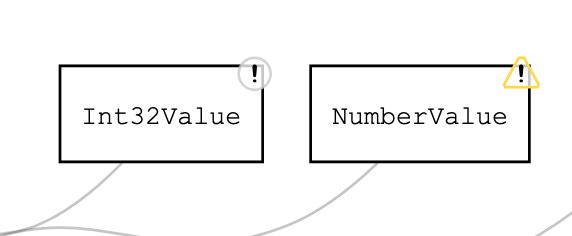
- Circle with “!”
This node hits the depth limit.
- Triangle with “!”
This node hits other limit, such as node limit, path limit.
Queries
Important: These diagramming features use the /query endpoint, not
/search. If you type this syntax in the regular search box, it won’t work.
Inheritance diagram
inheritance-diagram:'nsIInputStream' depth:4
Class diagram
class-diagram:'mozilla::GraphDriver' depth:3
Function call diagram
This works both directions.
calls-from:'mozilla::dom::AudioContext::CreateDynamicsCompressor' depth:2
calls-to:'mozilla::dom::AudioContext::CreateDynamicsCompressor' depth:4
https://searchfox.org/mozilla-central/query/default?q=calls-from%3A’mozilla%3A%3Adom%3A%3AAudioContext%3A%3ACreateDynamicsCompressor’+depth%3A2 https://searchfox.org/mozilla-central/query/default?q=calls-to%3A’mozilla%3A%3Adom%3A%3ADynamicsCompressorNode%3A%3AThreshold’+depth%3A4
Note: calls-from now avoids traversing into methods like
NS_DebugBreak that would otherwise clutter diagrams. Similarly, calls-to
and calls-between avoid problematic interfaces like nsIObserver::Observe
and nsISupports methods.
Calls Between
The calls-between functionality allows you to discover how different classes
or methods interact with each other. This is particularly useful for
understanding complex code relationships.
This functionality is not yet available in the context menu.
Basic calls-between
Find paths between any methods of two classes:
calls-between:'mozilla::ProcessPriorityManager' calls-between:'nsTimer'
Directional calls-between
For more precise control, use calls-between-source and calls-between-target:
calls-between-source:'nsDocShell' calls-between-target:'nsExternalHelperAppService' depth:10
Specific method targeting
When you know specific methods, you can target them directly:
calls-between-source:'nsGlobalWindowInner::SetTimeout' calls-between-source:'nsGlobalWindowInner::ClearTimeout' calls-between-target:'nsTimer' depth:9
Note: You must now provide absolute pretty identifiers. If your class is
foo::Bar, you can’t just use Bar - you need the full path to avoid
ambiguity.
Include Graph Visualization
There’s a synthetic “(file symbol)” at the end of file path breadcrumbs.
Diagrams triggered on this symbol visualize the header include file graph. This
is most useful with calls-between queries.
Advanced Options
fmus-through-depth:N- Include “field member uses” for pointer relationships (use 0 for depth 0 nodes only)