Local Mode
What is the “Local Mode”
This feature allows you to register multiple mappings in order to load local files through custom https:// URLs. This prevents having to spawn a HTTP server to test a web page. This makes it easy to test all Web APIs, including the ones being restricted to Secure Contexts (i.e. using https). This also helps having many distinct origins (domain) for each experiment / project and have dedicated storage/cookies for each.
These mappings are only accessible from Firefox (this can’t be used by any other program, or malicious software on your computer/local network).
These mappings are only functional when DevTools are opened.
How to use the “Local Mode”
This feature shipped in Firefox 153.
You can register mappings from DevTools’ Options panel:
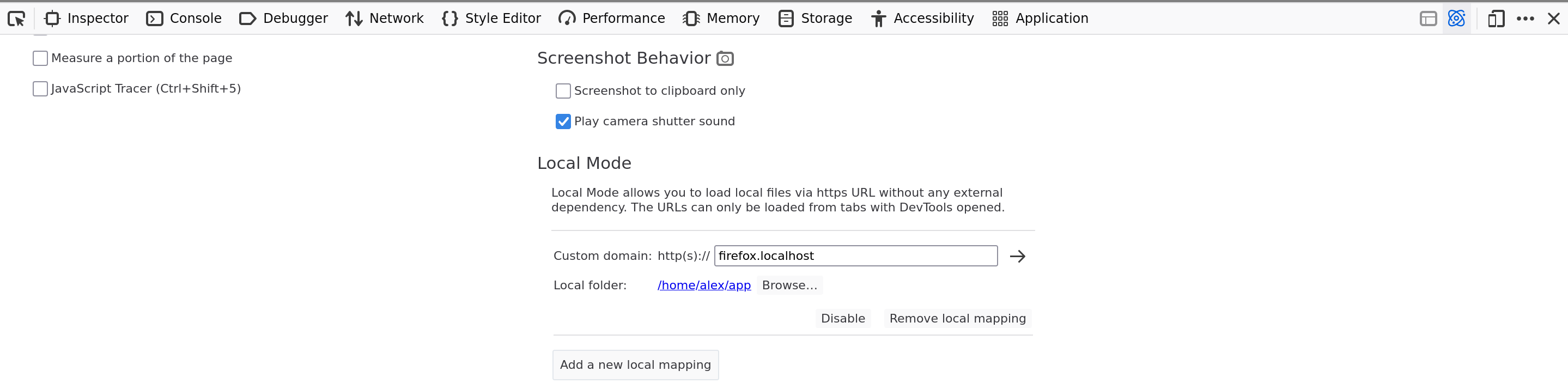
From there you can register as many mappings as you need.
Each mapping defines:
the origin (domain)
The custom origin to expose via https URL.
the local folder
The local folder where to load files from.
On the screenshot, it loads https://firefox.localhost from /home/alex/app.
Loading file URL notification
When loading any file:// URL with DevTools opened, you should see the following notification at the top of DevTools:
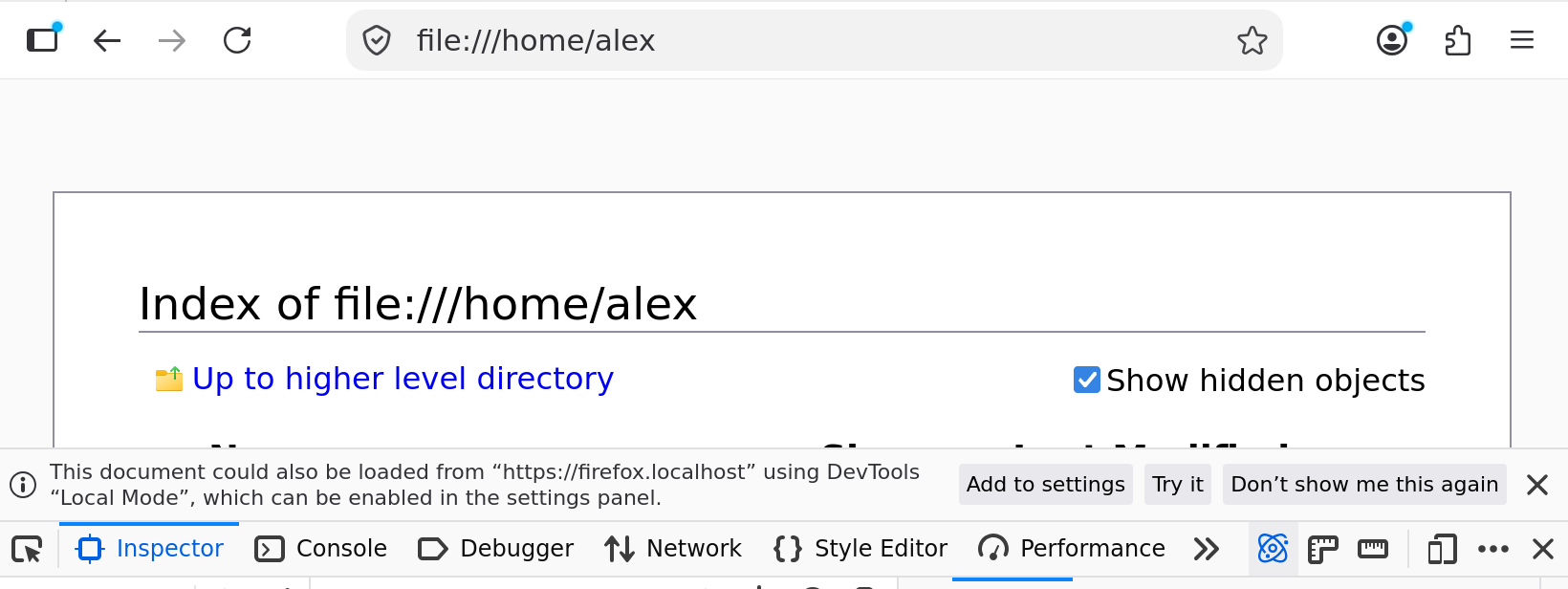
The first action Add To Settings will bring you to the Options panel and register
a new mapping for the loaded file URL.
The second action Try it will register a transient mapping to load the current file or folder
from a https URL. The mapping will disappear as soon as you close DevTools or Firefox.
Manage mappings via preferences
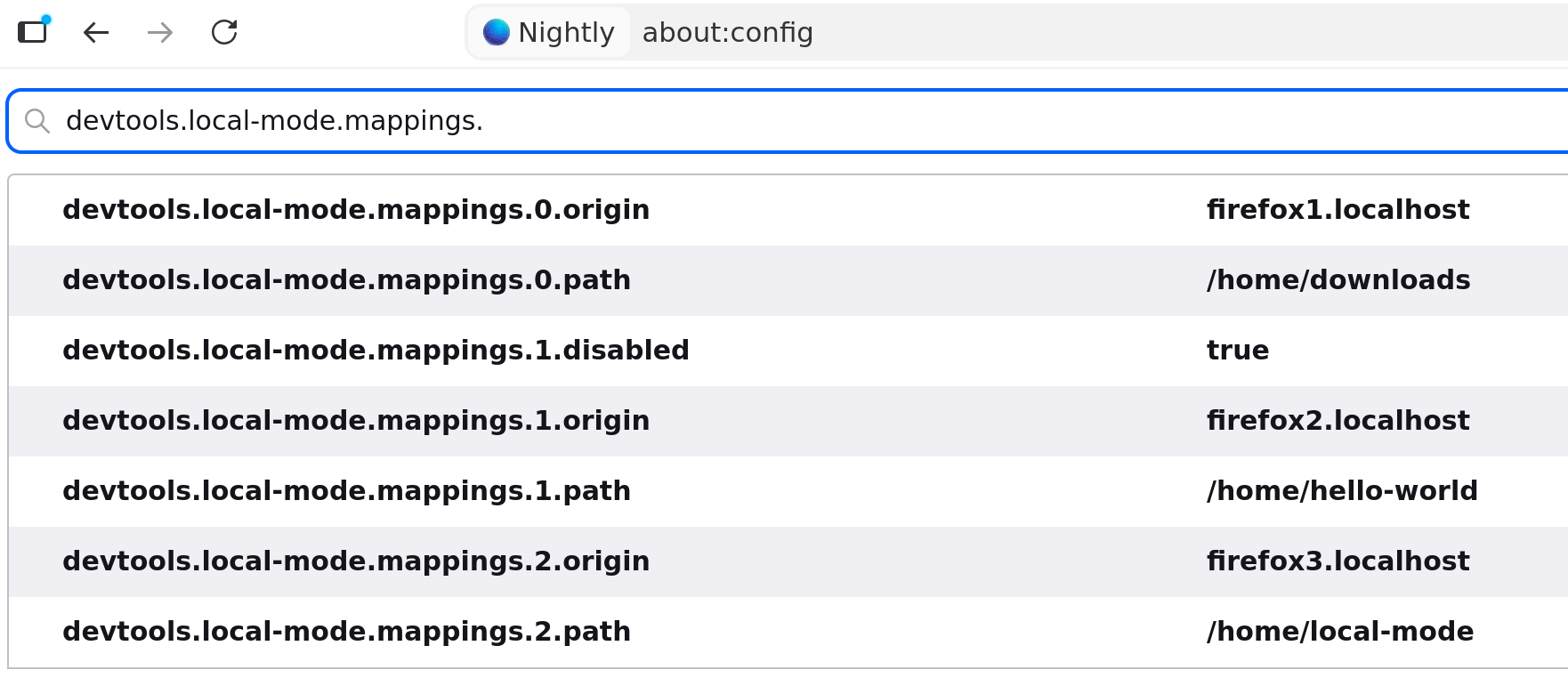
Mappings can also be managed in about:config via preferences, so that you can easily import and transfer them between profiles, or via automation.
Each mapping is defined by three preferences:
devtools.local-mode.mappings.${index}.origin: string for the mapping’s origin. (e.g. “firefox.localhost”)devtools.local-mode.mappings.${index}.path: string for the absolute path to local folder (e.g. “/home/hello-world”)devtools.local-mode.mappings.${index}.disabled: optional boolean to disable this mapping and where${index}is an incremental integer counter to uniquely identify each mapping.
Here is an example of mappings you can control from about:config: